
Private by construction.
Here is what the app captures, where the audio goes, and the one request it can make.
Applies to
Draft 0.2.0 for Windows x64
Describes the behaviour of Draft 0.2.0. Reviewed October 2026.
Audio upload
None
Account required
None
Telemetry
None
History stored
Text + duration
The short version
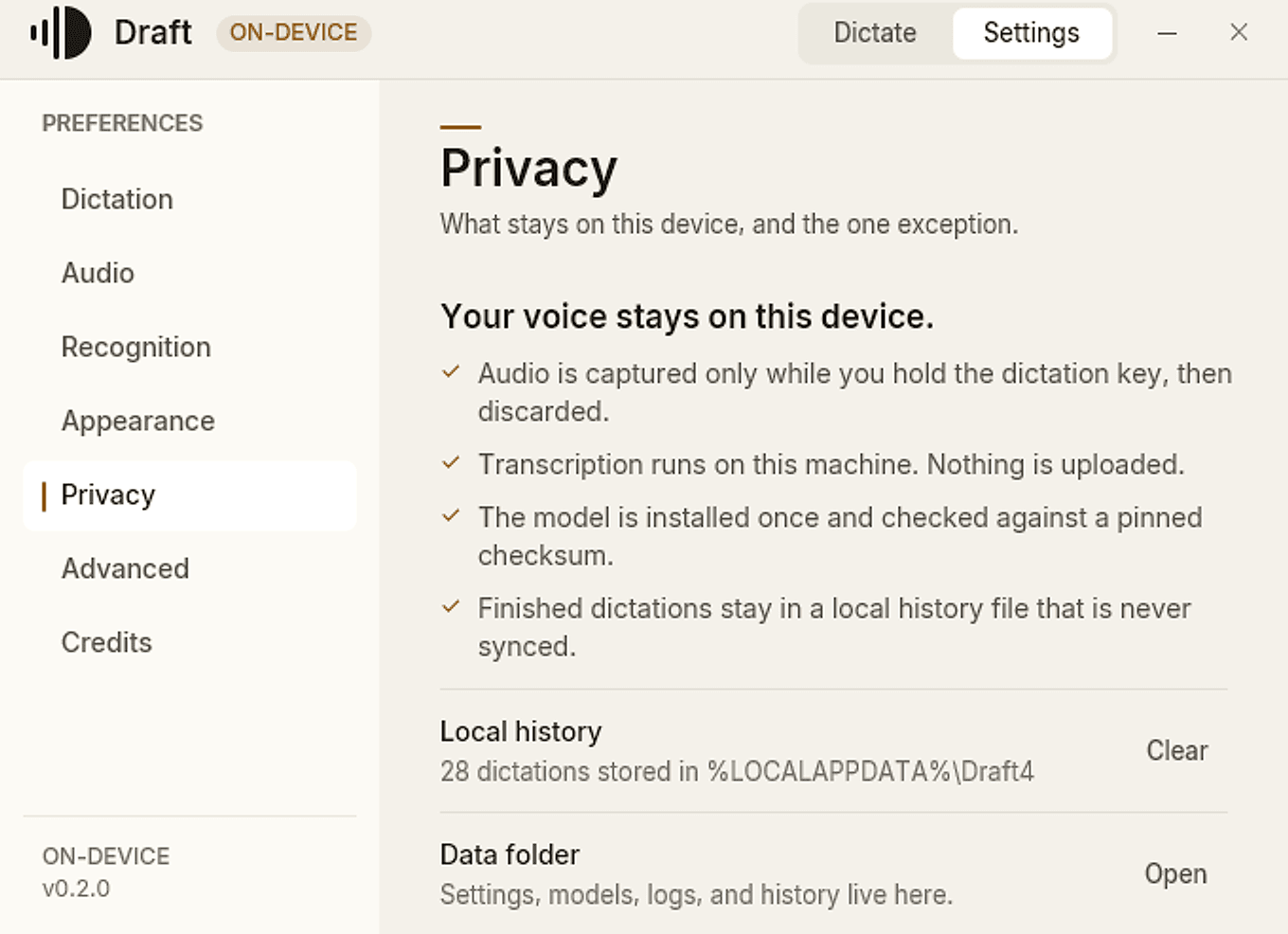
Audio is captured only while the dictation key is held.
Speech is transcribed on this device and the audio is discarded.
History contains text and duration only. Never audio, window titles, or full URLs.
There is no account, no telemetry, no analytics, and no crash reporting.
The Windows release installer includes the speech model, so dictation needs no network.
What Draft captures
Draft listens only between the moment you press the dictation key and the moment you release it. The microphone is not open while the app waits, and a very short tap is discarded rather than transcribed.
Press Esc while recording and the take is cancelled: nothing is transcribed and nothing is pasted. The recording HUD shows the real elapsed time and the real input level, not a simulated animation.
“Draft uses your microphone only for dictation. The app does not record meetings or listen in the background.”
Where your voice goes
The path is short: microphone, local model, cursor. The audio never goes to a server, and it is not kept as a recording.
Capture
16 kHz audio, only while the key is held.
Transcribe
Whisper large-v3-turbo runs locally through transcribe.cpp, on Vulkan or CPU.
Insert
The finished text is pasted at the cursor in the app you are using.
Discard
The audio is discarded. The text and its duration may be recorded locally.
What is stored on disk
Draft keeps its own data in one folder on this machine. Nothing in it is synced. The exact location is %LOCALAPPDATA%\Draft4.
- settings.json
- Your shortcut, microphone, paste, theme, and startup choices.
- models\
- The local Whisper GGUF model. This is the exception described below.
- history.json
- Finished transcript text and duration. No audio, window titles, or full URLs.
- logs\
- Local diagnostic logs from recent sessions.
History is bounded by a 30-day default retention window, a 2,000-entry cap, and an 8 MB file cap. A malformed history file is quarantined rather than overwritten. The store exists through draftctl history; the in-app History pane is not built yet.
The network
Draft does not need the network to dictate. There is no telemetry, analytics, crash reporting, or update ping. The app does not check for a new version behind your back.
The one exception
The speech model. The Windows release installer includes the F16 Whisper large-v3-turbo model, so there is no separate download. If you build from source without the bundled model, Draft downloads the pinned model once and verifies its SHA-256 before installing it. There are no other runtime network requests.
The GitHub and X actions on the Credits screen open your browser only when you choose them. Draft itself makes no request for those links.
What Draft never does
Upload your audio to a server.
Require an account or a sign-in.
Sync your history between devices.
Keep a recording after transcription.
Send transcripts to a cloud model.
Track how or when you dictate.
Run an update check without asking.
Require a separate model download in the release installer.
What local can’t control
Local processing keeps your audio on the machine. It does not control what happens after the text is pasted. Once the transcript lands in another app, that app’s own settings, sync, and retention rules apply to the text.
Local also means local responsibility: your settings, logs, and history are files on this PC. Anyone with access to your Windows account and the right folder can read them. Draft does not encrypt the local history store, and uninstalling the app keeps the data folder in place by design.
If you need to remove everything, delete %LOCALAPPDATA%\Draft4 after uninstalling. That removes settings, logs, history, and the model.
Verify it yourself
The privacy model is verifiable, not just stated. The source is public and MIT licensed. The history store is a local file you can inspect. The release page publishes the installer hash.
Current limits
Draft 0.2.0 is an early release. These are the limits that matter to the privacy story, not a complete changelog.
- The installer is unsigned, so Windows SmartScreen may warn on first launch.
- Real-speech WER parity with the previous generation is still being measured. No accuracy claim is made ahead of it.
- The in-app History pane is not built; the bounded store and draftctl commands are available.
- Updates are manual. There is no in-app updater.
- Windows x64 is the only supported target. macOS and Linux are future work.